
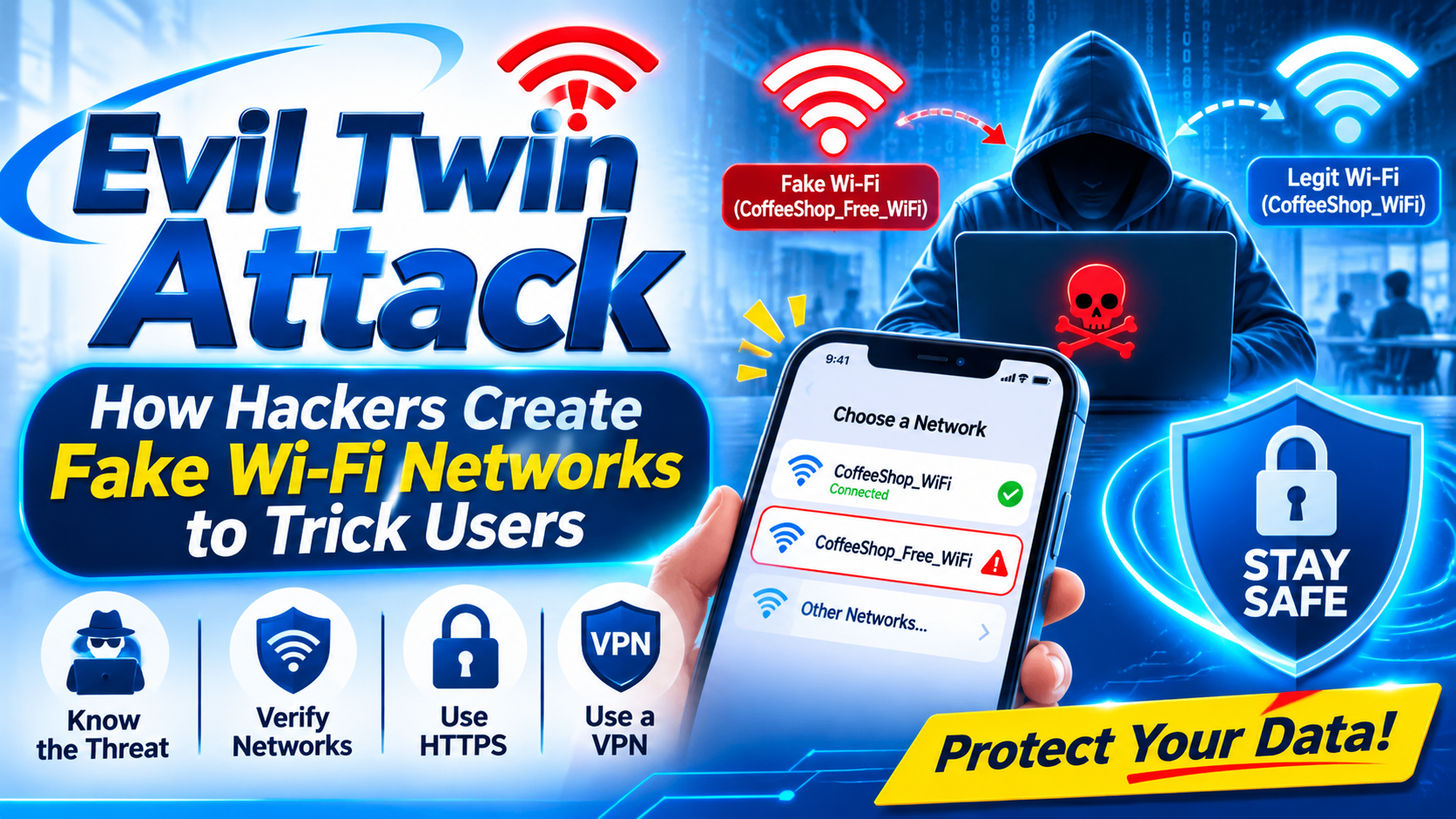
Evil Twin Attack: How Hackers Create Fake Wi-Fi Networks to Trick Users
Have you ever connected to a free Wi-Fi network at a railway station, airport, café, or shopping mall without thinking twice?
Public Wi-Fi is convenient, but connecting to an unknown network can sometimes expose users to cybersecurity risks.
One such threat is called an Evil Twin Attack. It is a type of Wi-Fi-based attack in which an attacker creates a fake wireless network that looks similar to a legitimate Wi-Fi network. Unsuspecting users may connect to the fake network, believing it is genuine.
Understanding Evil Twin attacks is important for anyone who regularly uses public Wi-Fi.
What Is an Evil Twin Attack?
An Evil Twin Attack is a wireless network attack where an attacker creates a fraudulent Wi-Fi access point that imitates a legitimate network.
For example, imagine a coffee shop providing free Wi-Fi under the name CoffeeShop_WiFi. An attacker may create another network with a similar name, such as CoffeeShop_Free_WiF.
If users fail to verify the network, they may accidentally connect to the attacker's access point.
Once connected, the attacker may attempt to monitor network activity, redirect users to fraudulent websites, or carry out other attacks, depending on the network configuration and security protections in place.
How Does an Evil Twin Attack Work?
An Evil Twin attack generally involves five stages.
1. Creating a Fake Wi-Fi Network
The attacker sets up a wireless access point using a network name (SSID) that resembles a trusted Wi-Fi network.
2. Attracting Users
The fake network may appear familiar to nearby users. Some devices may also automatically reconnect to previously used network names, depending on their settings.
3. User Connection
When a user connects to the fraudulent access point, their device communicates through a network controlled by the attacker.
4. Attempting to Intercept Traffic
The attacker may try to observe unencrypted network traffic, redirect users to fake login pages, or exploit other weaknesses.
HTTPS encryption provides important protection. Connecting to a malicious Wi-Fi network does not automatically give an attacker access to passwords or encrypted account information.
5. Misusing Collected Information
If users enter information into fraudulent websites or fall for phishing attempts, attackers may obtain information that can be misused.
What Information Can Be at Risk?
The information exposed depends on the attack method, website security, and user behaviour.
Potential risks include:
- Personal information entered into fraudulent websites.
- Login details submitted through phishing pages.
- Unencrypted browsing information.
- Session information when additional security weaknesses exist.
- Sensitive business information accessed over poorly secured connections.
It is important to understand that an Evil Twin network alone cannot automatically decrypt HTTPS traffic or bypass modern website security.
Real-World Example of an Evil Twin Attack
Consider a student visiting a public library.
The library provides a Wi-Fi network named Library_Free_WiFi. An attacker nearby creates a similar network and gives it a familiar-looking name.
The student connects without checking with the library staff.
The attacker may then attempt to redirect the student to a fraudulent webpage designed to imitate a trusted service. If the student enters personal information on that page, it could be exposed.
This example shows why users should always verify public Wi-Fi networks before connecting.
How to Detect an Evil Twin Wi-Fi Network
Identifying a fake Wi-Fi network is not always easy, but users can follow these precautions:
1. Verify the Network Name: Confirm the exact Wi-Fi name with the establishment or its staff.
2. Avoid Unknown Networks: Do not connect to networks simply because they offer free internet access.
3. Disable Automatic Connection: Turn off automatic connection to public Wi-Fi networks.
4. Check for Suspicious Login Pages: Be careful when a Wi-Fi network unexpectedly asks for personal or account information.
5. Use HTTPS Websites:Check that websites use secure HTTPS connections.
6. Use a Trusted VPN: A reputable VPN can add protection to network traffic, although it cannot prevent every phishing attack.
7. Forget Unused Networks: Remove public Wi-Fi networks that you no longer need.
How Can Businesses Protect Their Wi-Fi Networks?
Businesses, educational institutions, and public organisations should also take steps to reduce the risk of Evil Twin attacks.
Some recommended security practices include:
- Use WPA2 or WPA3 security where appropriate.
- Configure enterprise Wi-Fi authentication when required.
- Monitor wireless access points for unauthorised devices.
- Use Wireless Intrusion Detection and Prevention Systems (WIDS/WIPS).
- Educate employees and visitors about suspicious Wi-Fi networks.
- Regularly review wireless network configurations.
- Provide clear instructions for users to identify official Wi-Fi networks.
Evil Twin Attack: Cybersecurity Awareness Demonstration
As part of cybersecurity awareness and practical learning, an Evil Twin simulation can demonstrate how easily users may confuse a fake Wi-Fi network with a legitimate one.
In a controlled laboratory environment, cybersecurity professionals and students can study wireless network behaviour, understand captive portals, and observe how users respond to suspicious network prompts.
Such demonstrations should use an isolated test network, dummy information, and informed participants. They should never collect real account passwords, OTPs, or personal information.
The main objective is to help people recognise suspicious Wi-Fi networks and understand the importance of safe browsing habits.
Conclusion
Evil Twin attacks demonstrate how attackers can misuse the trust users place in familiar Wi-Fi networks. A network name that looks genuine does not necessarily mean the access point is safe.
Before connecting to public Wi-Fi, always verify the network with the provider and avoid entering sensitive information into unexpected login pages.
Cybersecurity awareness, proper network configuration, and safe browsing practices can help reduce the risks associated with wireless attacks.
Stay aware. Stay secure.
Learn more about cybersecurity awareness, ethical hacking, and network security with NextGenPro.